Saturday, 29 February 2020

Unity Tutorial 03

This weeks tutorial was a bit more tough than last weeks but nothing impossible or head melting. The only problem I had was at step 4, where I had to program the speed control of the car. I followed the video closely but I got an error message about multiple errors. I fixed the problem by redoing the whole code of that part of the tutorial from scratch and soon the problem was fixed. I guess that I forgot a common or symbol like this ; or something. Apart from that little hiccup the rest of the video. The challenge with programming the plane game on the other hand proved very challenging and honestly a bit too much for me. I was about to get it flying forward and slow it down but I struggled with the rest of it and having to catch up with a lot of work I decided to cut my losses and moved on to the next tutorial. I may go back on finish it at a latter date. But over all I felt the tutorial went well and I feel proud of making the car move like how it would move in a game like Grand Theft Auto or Saints Row, ETC.

(My Unity HUD as I work on the plane challenge)

Unity Tutorial 02

I found the first of these new Unity tutorials very simple and straight forward to understand. I feel it is defiantly an improvement from the Jimmy Vegas tutorials we used in Multimedia Development 1 last semester. The videos highlighted the specific parts of the layout to use for it. So I found it very enjoyable to use. I felt the first part was good refresher on the basics of Unity which helped me back into the groove of it. I learned some basic game coding from it. The coding side of Unity did not work for me last semester for reasons beyond my understanding but it all worked fine here. Though my computer just has notepad instead of the more fancy program in the video so I have to write all the code without any auto fill which can be long and lead to some mistakes on my part but it's nothing too bad. I didn't find anything really all that difficult but I'm sure that will change with the future tutorials. I also found it very rewarding to make the car move, it made feel like accomplished I thought I could never do. So I'm looking forward to doing the future tutorials.

(Screenshot of the car tutorial)

Thursday, 20 February 2020

Reading 2

The two topics I have chosen to write for the proposed are linear and non-linear stories and granularity. With my two topics chosen, I searched keywords based on the two topics. The words I came up with for linear and non-linear stories are linear, short, straightforward, non-linear and open. The words I came up with for granularity are granularity and detail. After I had my words, I watched the video on the matrix method and set up the the four folders. I set up a documents, matrix, paper and synthesis folder. I then downloaded the Arts Review Matrix spreadsheet. With all this done, I am ready to start my research.

(Screen Cap of Downloaded Matrix)

Sunday, 8 December 2019

The Magic Gate Beta

The development of the game have been a total disaster. I haven't been able to fix the collectible issue since my last blog post. Unlike my planning document there will no character model, NPCs, story, collectibles, enemies, combat, menus or displays. All the player can do is wander the map that has no borders. I'm honestly done trying with this project. It's a bust and it's caused me to fall behind on my other modules. So The Magic Gate is now "complete."

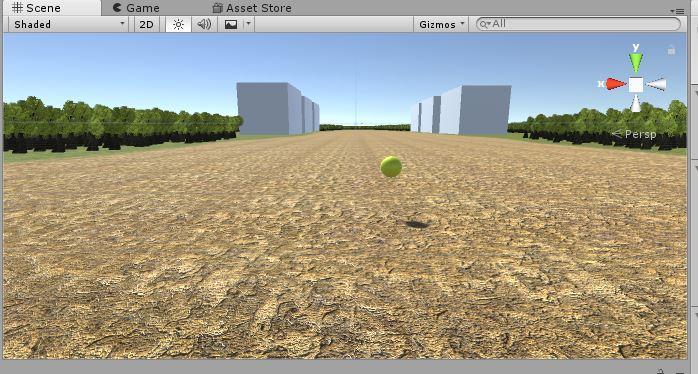
(The Final Product.)

Sunday, 17 November 2019

First Playable of The Magic Gate

Progress on the game is going okay, nothing great. I've got most of the map built, the only thing I'm missing is the grass and the buildings. I have downloaded a fantasy house but am having difficulty putting it in so for the time being I have 3D rectangles as placeholders. I have all the collectibles placed around the map and I got them to rotate but I'm having difficulty getting the script to make the player pick up the orbs when the player walks into them. I'm also have difficulty with the player character. I tried to set up a third person character but the camera wouldn't follow them so for the time, I have a first person character in as a placeholder. I also made the world map bigger then I expected so I might have to increase the players speed to make up for it. I also need to add borders and a sky box to the game. So over all progress is okay but could be better.

(Overview of the game world)

(Player starting point)

Tuesday, 12 November 2019

Game Fun

This week I read the article "Natural Funitivity" by Noah Falstein. The article explored the question of what makes a fun game. He starts off by discussing what fun means as a concept and how it's hard to define. But he says it's linked to our ancestral sense of survival, saying that video games connect to our sense of survival which in turn if fun to us. He also listed the three types of fun we enjoy on a mental level. First is psychical fun, doing psychical activities appeals to our sense of survival. Social fun, where we like to interact with other people since we are social creatures. And finally mental fun, where enjoy challenges that make us think hard.

Link: https://www.gamasutra.com/view/feature/130573/natural_funativity.php?page=1

(A drawing of a caveman hunting. Found here.)

Sunday, 10 November 2019

Prototype

There's nothing much for this post due technical issues I'm have with Unity. But I did get some things done. I first drew out a world map with key for my game world.
(World Map)
I then drew a character sketch of the player character, Frank the Knight.
(Play Character sketch)
And I started work on my game but I'm having technical difficulties that I need to fix before I continue any further with it.